

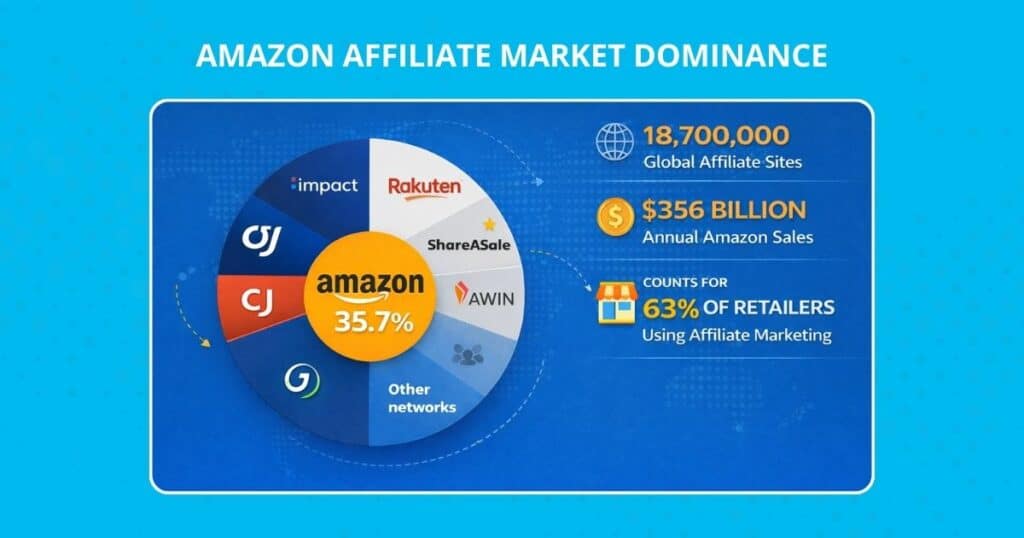
Let’s cut to the chase: Amazon Associates is the undisputed market leader, controlling an estimated 46.6% of the global affiliate network market share, making it the world’s largest affiliate program by a significant margin. That dominance comes with strict rules, and breaking them can have severe consequences. Even an accidental mistake results in immediate account termination and the forfeiture of commissions, per Amazon Associates’ Operating Agreement.
But here’s what most guides miss: compliance isn’t just about avoiding penalties. It’s about building trust. Research indicates that 86% of shoppers believe transparency directly affects their purchasing decisions. When you clearly disclose affiliate relationships and Amazon affiliate links, you’re not just following rules, but you’re building credibility that converts.
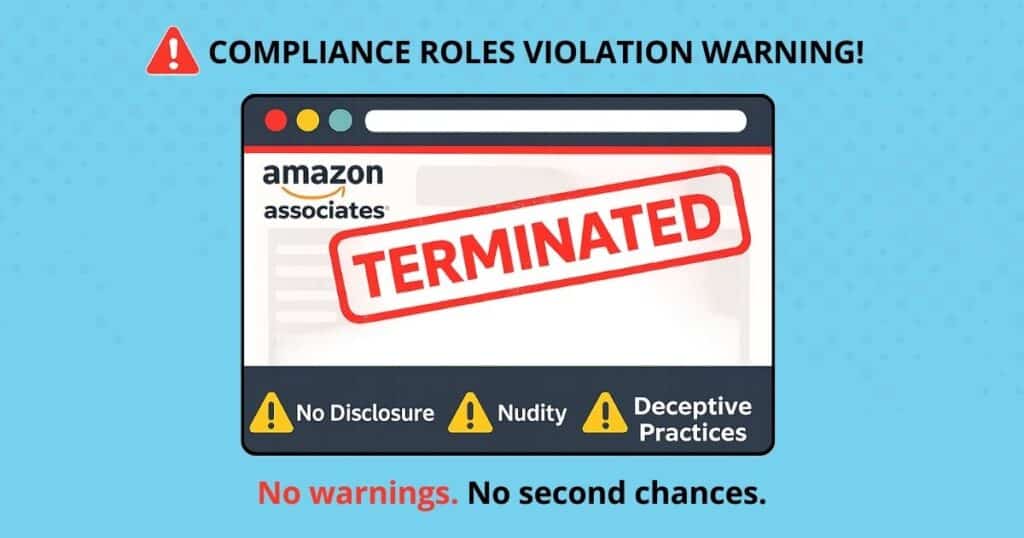
The stakes are real. Amazon’s Operating Agreement explicitly states that any violation is a “material breach,” which can trigger immediate account closure. No warnings. No second chances. Just lost income and wasted effort.
Beyond the financial risk, opaque affiliate practices destroy reader trust faster than anything else. The Amazon Associates program members who treat compliance as a strategic advantage consistently outperform those who view it as a burden. Clear disclosures, professional link presentation, and transparent Amazon affiliate marketing practices actually boost conversion rates and affiliate income.
Think to yourself, would you click a sketchy-looking link from someone hiding their financial incentives? Neither would your audience. Amazon’s affiliate program compliance fosters trust, which in turn drives sales.
15 Must-Know Amazon Associates Rules
The rules aren’t suggestions; they’re contractual obligations for Amazon’s affiliate program. Break any of these, and you’re out. Here’s what you need to know, stripped of legal jargon and focused on practical implementation.
1. Include the Exact “Amazon Associate” Site Statement
Amazon’s affiliate program requires this exact phrase on your site: “As an Amazon Associate, I earn from qualifying purchases.” No variations. No paraphrasing. This statement must appear prominently on any property where you use Amazon’s affiliate links, typically in your footer, sidebar, or About page.
2. Provide Clear, Conspicuous Link-Level Disclosures
All Amazon affiliate links need a disclosure that’s impossible to miss. Amazon’s affiliate account guidelines explicitly state that disclosures must be “clear” and “conspicuous.” This means visitors shouldn’t have to hunt for the disclosure. Place disclosures immediately before or after affiliate links, using phrases like “(paid link)” or “(affiliate link)”.
3. Use Unambiguous Language (#ad, #CommissionsEarned)
Vague language kills compliance. Amazon’s affiliate program requirements specifically prohibit the use of ambiguous phrases that don’t explicitly state the affiliate relationship. Acceptable disclosures include: #ad, #CommissionsEarned, “affiliate link,” or “paid link.” Skip cutesy alternatives. Clarity trumps creativity as an affiliate marketer.
4. Do Not Bury Disclaimers in Footers Alone
A footer disclaimer isn’t enough. As an affiliate marketer, you need the site-wide Amazon Associates program statement; however, when creating content, you must also include link-level disclosures near each affiliate link. Amazon’s compliance team specifically looks for this dual-disclosure approach.
5. Respect Amazon Trademarks & Branding Guidelines
With an Amazon Associate’s account, when creating content, you cannot use Amazon’s logos, alter their branding, or imply that Amazon endorses the content. The Associates IP License prohibits using Amazon trademarks in domain names, social media handles, or in any manner that suggests an official partnership beyond the affiliate relationship.
6. Only Place Links on Approved Properties
List every website, social profile, and platform where you’ll use affiliate links in your Associates account. Forgetting to update this list when you expand to new platforms, like a YouTube channel, is a leading cause of account termination. Amazon regularly audits link placement against your declared properties.
7. No Affiliate Links Inside Amazon Reviews or Q&A
Amazon explicitly bans placing affiliate links on Amazon-owned properties, including product reviews, Q&A sections, or community forums. This extends to Goodreads and other Amazon subsidiaries.
8. Avoid Misleading Prices, Coupons, or Discounts
There are also promotional limitations. Never advertise prices, sales, or discounts unless you’re pulling real-time data, including qualified sales and promotions, from Amazon’s API. Static product price claims become outdated quickly and violate the agreement. Similarly, don’t promote coupons or sales that don’t actually exist.
9. Keep Product Data Current (Images, Pricing, Ratings)
As a content creator, if you display product images, prices, or ratings, they must be up to date. Amazon provides API access for real-time data, but if you’re updating manually, audit your content quarterly to ensure accuracy.
10. Never Target or Track Children (COPPA/GDPR-K)
Amazon affiliate requirements prohibit targeting users under 13 (or applicable age in other jurisdictions). This means no kid-focused content with affiliate links, no collection of data or additional information from minors, and compliance with COPPA, GDPR-K, and similar regulations.
11. Obtain Consent for Email & SMS Outreach (CAN-SPAM/TCPA)
Email and SMS marketing require explicit opt-in consent. Include unsubscribe options on all advertising, websites, and original content. Also, include your physical address and a clear form of identification. Amazon now allows affiliate links in emails and SMS to opted-in audiences, but you must comply with all applicable laws.
12. Disclose Any Free Products or Sponsorships
If you received products for free or have any material connection beyond standard affiliate income or commissions, like an Amazon gift card, Amazon’s Associates program requires you to disclose it. The Federal Trade Commission (FTC)requires transparency about all financial relationships, not just affiliate links.
13. Prohibit Adware, Toolbar, or Forced Redirect Tactics
No shady tech tactics. Amazon’s Affiliate program requirements ban cookie stuffing, forced redirects, browser extensions that inject affiliate tags, and any method that doesn’t involve genuine user intent to click your link and drive customer purchases.
14. Follow Geographic Program Rules (EU, UK, CA)
Each Amazon marketplace has specific rules. EU programs require GDPR compliance. The UK post-Brexit has unique requirements. Canada has French-language considerations. Join each program separately and follow local rules.
15. Treat Each Violation as a “Material Breach”
Amazon’s Associates program doesn’t do warnings. Any rule violation, whether promoting Amazon products, driving web traffic, or any other activity, however minor it may seem, can trigger immediate termination. The agreement explicitly states that violations constitute material breach, warranting account closure.
Geniuslink: The Shortcut to Effortless Compliance
Here’s where Geniuslink transforms compliance from a burden into an advantage. Instead of manually managing disclosures across every piece of original content, link, platform (YouTube, website, Facebook, etc), and country, Geniuslink automates the heavy lifting while actually improving your click-through rates.
How Choice Pages Automate FTC & Amazon Disclosures
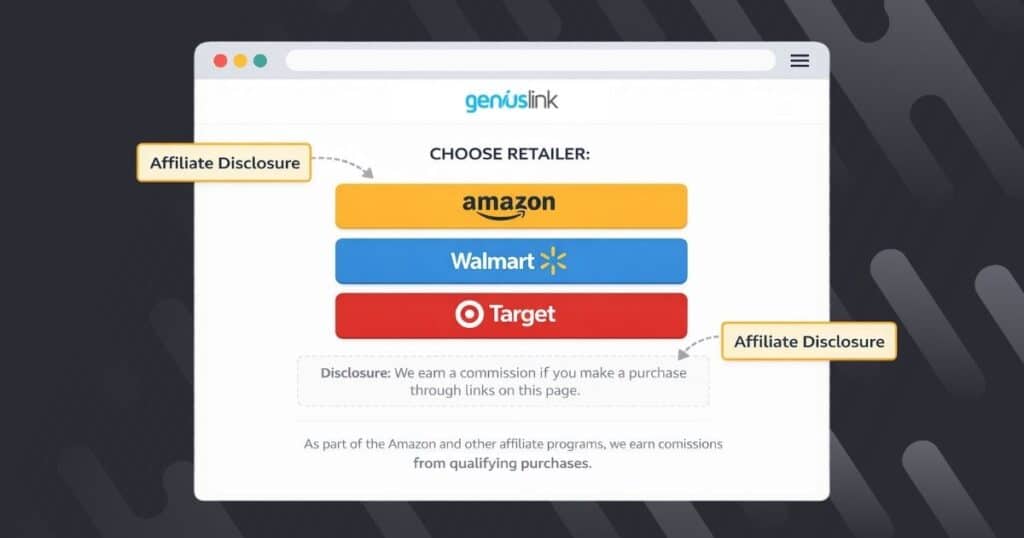
Geniuslink Choice Pages solve the biggest compliance headache of maintaining proper disclosures everywhere. Each Choice Page automatically includes all required FTC and Amazon affiliate disclosures in a clear, prominent position. No manual updates needed. No forgotten disclaimers on websites, links, digital videos, etc.
When visitors click your link, they are directed to your branded page that displays the multiple retailer options you’ve selected (Amazon, Walmart, Target, etc.) with affiliate disclosures already in place. This means you can share one clean link in your Instagram bio, YouTube description, Facebook page, or blog post without cluttering your content with repetitive disclaimers.
The genius part? Choice Pages work in channels where direct affiliate links are restricted, such as in email newsletters, SMS campaigns, and even printed materials. Choice Pages serve as your compliant landing page, meeting disclosure requirements while maintaining your content’s integrity.
I’ve reworked the content to include the required note about the additional monthly cost for custom domains, ensuring the original message about CTR and trustworthiness is preserved.
Reworked Content
Boosting CTR with Branded, Trustworthy URLs
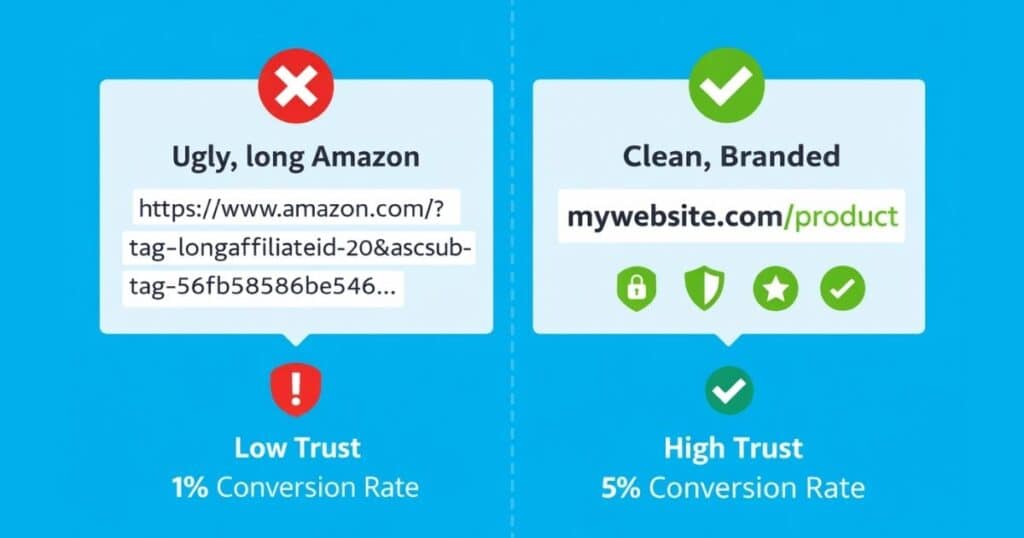
Raw Amazon affiliate links look suspicious. Those long strings of characters and tracking parameters scream “sketchy link” to savvy users. Geniuslink lets you create custom short links that increase trust and drive more clicks. You can use the default geni.us domain or a fully branded experience with a custom domain.
- Instead of: amazon.com/dp/B08XYZ123?tag=yourtag-20&linkCode=abc123
- You share: geni.us/BestCoffeeMaker or a custom link like shop.yoursite.com/TopPicks
Note: Using a custom domain (e.g., shop.yoursite.com) requires the Custom Domains Add-On, which attracts an additional monthly cost.
Industry data shows branded links receive up to 39% more clicks than generic URLs. When every character counts (think Twitter or Instagram captions), a clean, descriptive link builds trust while saving space.
Auto-Affiliation: Never Miss a Commission Tag Again
Manual Amazon affiliate link creation leads to missed commissions. Forget to add your affiliate tag once, and you’re leaving money on the table across any product category. Geniuslink’s auto-affiliation automatically adds your affiliate ID to every link, for Amazon, iTunes, Walmart, and other supported retailers.
This system ensures every click counts toward earning you commissions.
Secure Link Routing & Global Geo-Redirects
When your audience is outside the United States, you can’t afford for them to click an Amazon link that takes them to amazon.com. They’ll either abandon the journey or just start a new search on their local storefront (amazon.co.uk, amazon.de, amazon.com.au, etc). With Geniuslink, that’s no longer a risk; every geni.us link automatically redirects international traffic to the local Amazon store while maintaining your affiliate tags for each geography.
This geo-targeting isn’t just about user experience; it’s also about ensuring you get credit and commissions for every Amazon Associates program you’ve signed up for. And if you’re not sure which Amazon Associates programs to sign up for, your Geniuslink dashboard will let you know if you’re receiving traffic from countries you’ve not yet added affiliate IDs for.
Step-by-Step Implementation Blueprint
Theory is worthless without execution. Here’s your practical roadmap for implementing Geniuslink to ensure bulletproof compliance with the Amazon Associates program.
Step 1 – Create & Verify Your Geniuslink Account
Start at Geniuslink.com and create your account. The free trial provides access to link creation, Choice Pages all link management features, which is ideal for testing the system. Verify your email and complete the quick onboarding to unlock all features.
Step 2 – Connect Amazon Associate IDs (Global Stores)
Navigate to your Geniuslink dashboard and click “Affiliate Programs.” Add your Amazon Associate IDs for every marketplace where you’re registered. This means Geniuslink will automatically include your affiliate ID for each of your international programs every time you build a geni.us link or a Choice Page, directing your audience to the appropriate Amazon store, with your Affiliate ID intact and ready to earn.
Step 3 – Build Your First Choice Page
Click “Create New Link” and select “Choice Page.” Add your product (Geniuslink auto-populates from the Amazon link). Customize your page title and description. The system automatically includes all required disclosures. All you need to focus on is creating compelling copy that will appear in search results across various search engines, driving traffic to your store.
Step 4 – Swap Raw Links for Branded Short Links
Install the Geniuslink browser extension to create one-click links. For existing content, use the bulk upload tool to convert all your Amazon links at once. Create memorable, geni.us links with custom slugs that accurately describe each product and promote them effectively. (e.g. geni.us/Insta-360-X4-Dive-Case )
Step 5 – Add Required Disclaimers to Site Templates
While Choice Pages handle link-level disclosures, you still need the Amazon Associate statement on your properties. Add “As an Amazon Associate, I earn from qualifying purchases” to your website footer and social media bios. Make it visible without being obnoxious.
Step 6 – Schedule Quarterly Compliance Audits
Set calendar reminders every three months to audit your compliance. Check that disclosures remain visible after any design changes. Verify all new platforms are registered in your Amazon account.
Cross-Channel Best Practices
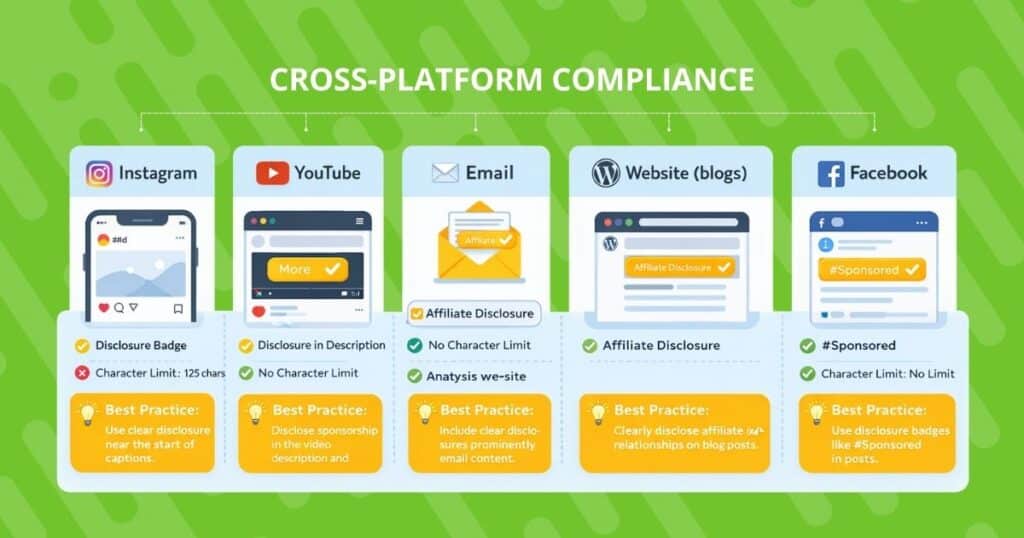
Different platforms demand different approaches. Here’s how to stay compliant while optimizing for each channel’s unique constraints.
Blogs & Niche Sites
Your owned platforms offer the most control. Implement structured data markup for product reviews. For example, use comparison tables with built-in disclosures for each row. Place affiliate disclaimers both in your template (footer/sidebar) and near link clusters. Consider using Geniuslink’s JavaScript snippet to automatically convert all Amazon links across your site. If you collect data from your own site, you must comply with the CCPA/GDPR and declare your compliance.
Social Media (Instagram, TikTok, YouTube)
Character limits make compliance tricky. Solution: Use Choice Pages as your single bio link. Include #ad in the first three lines of captions where you mention products. For digital videos on your YouTube channel, add disclosures in the first two lines of descriptions (above the “show more” fold). TikTok requires #ad or #affiliate in video captions. Choice Pages handles the rest.
Email Newsletters
Amazon now allows affiliate links in emails to opt-in subscribers. Best practice: Link to Choice Pages or your content, not directly to Amazon. Include your business address and unsubscribe link per CAN-SPAM. Add a brief disclosure in your email template that says, “This email contains affiliate links.”
SMS & Messaging Apps
Character limits are brutal within mobile apps. Get explicit opt-in consent with clear language about promotional messages. Keep messages concise: “Check out today’s deals: [Geniuslink]” with disclosures on the landing page. Always include STOP instructions and respect opt-outs immediately.
Print, PDF & QR Codes
Physical media can’t display dynamic disclosures, so use Geniuslink short URLs that lead to Choice Pages with built-in compliance. For PDFs, embed clickable branded links. QR codes should direct users to Choice Pages where disclosures are displayed prominently upon scanning.
Compliance Checklist & Templates
Here’s your copy-paste compliance toolkit:
Website Footer Disclaimer
Template: “As an Amazon Associate, I earn from qualifying purchases. This site contains affiliate links, which means I may receive a commission if you click a link and purchase something. This comes at no extra cost to you and helps support [Site Name].”
Social Media Bio Disclaimer
Template: “Amazon Associate | Affiliate links below ↓ | Commissions earned”
Link-Level Disclosure Options
- Inline: (affiliate link) or (paid link)
- Before link: “We earn a commission from: [link]”
- After link: “[link] *commission earned”
- For images: Caption with “#affiliate” or overlay “Contains affiliate links”
Quarterly Audit Checklist
✓ Amazon Associate statement visible on all properties
✓ Link-level disclosures present and conspicuous
✓ All platforms registered in the Associates account
✓ Product data (prices, images), current or product advertising API-driven
✓ No affiliate links on Amazon properties
✓ Email/SMS includes required consent language
✓ International stores configured correctly
✓ Trademark usage follows guidelines
✓ Choice Pages loading with proper disclosures
✓ Geographic redirects are working as intended
Frequently Asked Questions
Can I put Amazon links in PDF guides?
Yes, but with conditions. PDFs should link to your Choice Pages or content pages with proper disclosures, not directly to Amazon. Include the Amazon Associates statement in your PDF and ensure affiliate links are clearly marked.
What happens if I forget to make a disclosure?
Amazon considers any violation to be a material breach. While they might not catch a single missing disclosure immediately, why risk it? Include disclosures every time, and use Geniuslink Choice Pages to automate them and eliminate the risk of human error.
Does Geniuslink slow page speed?
No. Geniuslink uses enterprise-grade CDN infrastructure with server response times under 100ms globally. Redirects occur at the server level, not via JavaScript, so they have no impact on your Core Web Vitals.
How often does Amazon update its rules?
Amazon updates policies several times per year, often without fanfare. Subscribe to Amazon Associates announcements and check the policies page quarterly during your compliance audits.