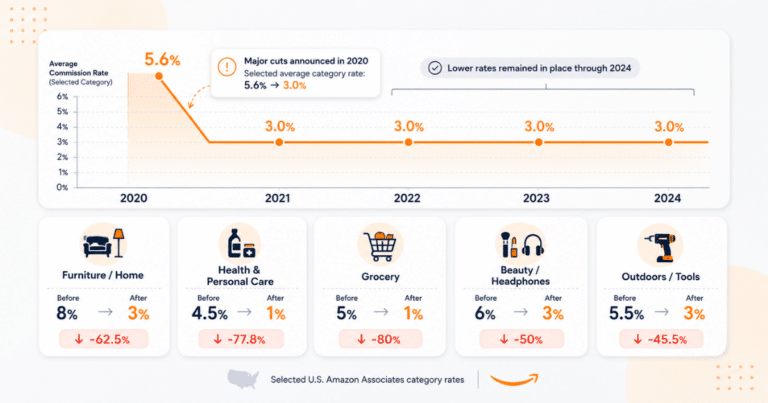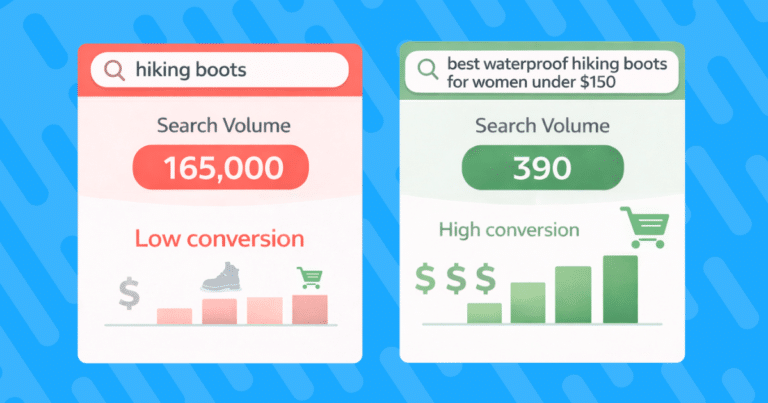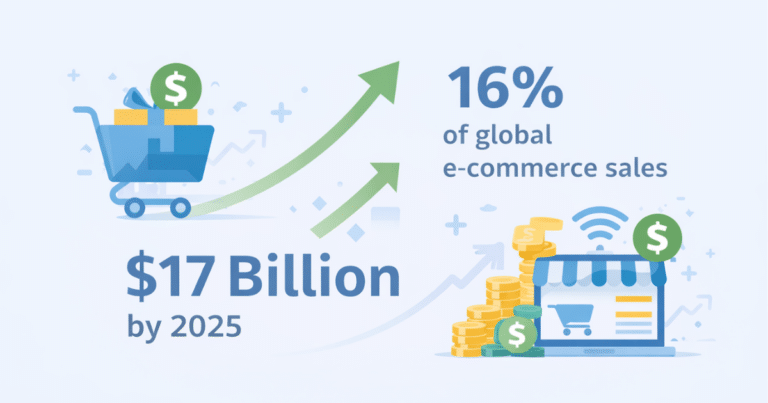

Amazon affiliate commission rates have declined steadily over the past several years, and many of the most-promoted product categories now pay between 1% and 3% per sale. Yet Amazon holds more than 40% of US e-commerce, giving it an audience reach no other single retailer can match. That tension, strong reach paired with shrinking rates, is the central challenge most affiliates face.
This guide covers the current commission rate structure, the structural limitations that compound the low-rate problem, and four strategies for offsetting those rates using Geniuslink’s Choice Pages and Seller Networks, along with A/B split routing and campaign tagging to sharpen performance over time.
How Amazon Associates Commission Rates Work
Amazon Associates pays a fixed percentage of the sale price depending on the product category. Rates range from 1% to 10% for standard purchases, with Amazon Games at 20% as the outlier at the top end. These rates are set by Amazon and apply to all qualifying purchases made within the attribution window after a visitor clicks your link.
Amazon also pays fixed bounties for service sign-ups, such as Prime memberships, Audible trials, and registry enrollments. These range from $0.25 to $25, depending on the program, and can supplement product commissions, particularly for publishers whose audiences include new Amazon customers.
Commission Rates by Category
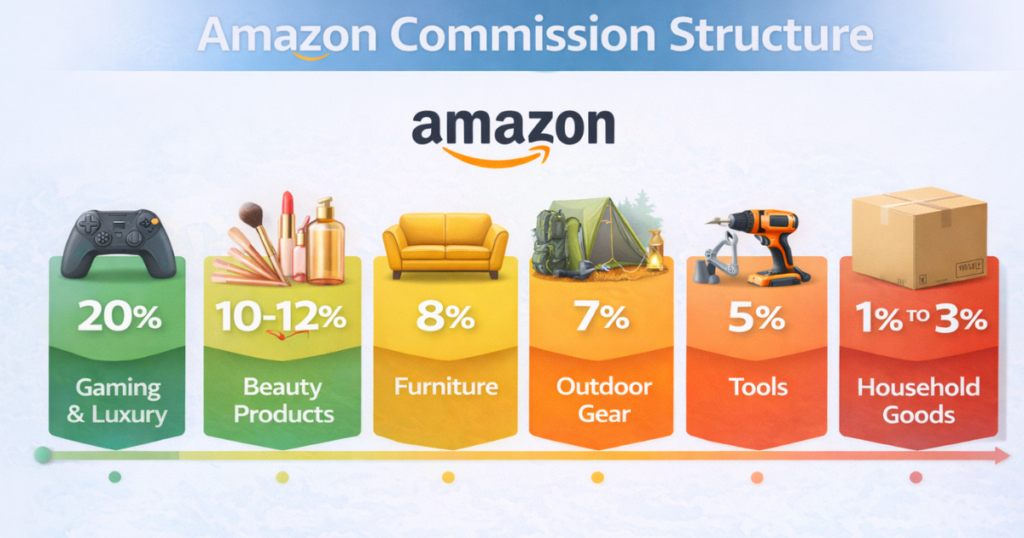
The table below reflects Amazon’s current rate structure as of early 2026, sourced from Amazon’s Associates Program documentation. Always verify against the official program agreement, as rates can change.
The categories that attract the broadest audiences and highest purchase frequency, including groceries, electronics, home goods, and health products, tend to sit at the low end of the rate table. High-commission categories like Luxury Beauty and Amazon Games have narrower audiences. Most publishers promoting everyday products work within a 1% to 4% range for the bulk of their content.
The rate cuts that dropped popular categories like furniture and home improvement from 8% to 3% came primarily in April 2020 and have not reversed. Analysis of the program history shows that changes generally reflect where Amazon needs affiliate traffic most, not where affiliates earn the most. New high-commission categories like Amazon Games and Amazon Haul signal Amazon’s current growth priorities rather than a reversal of the broader trend.
The Structural Limitations That Compound Low Rates
The rate table alone understates the challenge. Several structural features of the Amazon Associates program reduce effective earnings beyond what the percentages suggest.
The 24-hour attribution window is the most significant constraint. A visitor must add an item to their cart within 24 hours of clicking your link, or the sale goes unattributed. Once an item is in the cart, the attribution holds for 90 days, but many considered purchases, particularly in higher-ticket categories, involve research periods longer than a single day. Other affiliate programs commonly offer 7, 14, or even 30-day windows, which capture more of the consideration cycle.
Restricted promotional channels limit how you can drive traffic. Amazon prohibits affiliate links in paid search ads, and pop-ups. These are some of the highest-converting channels in affiliate marketing, and their exclusion means Amazon traffic must come from organic content, which takes longer to build and scale.
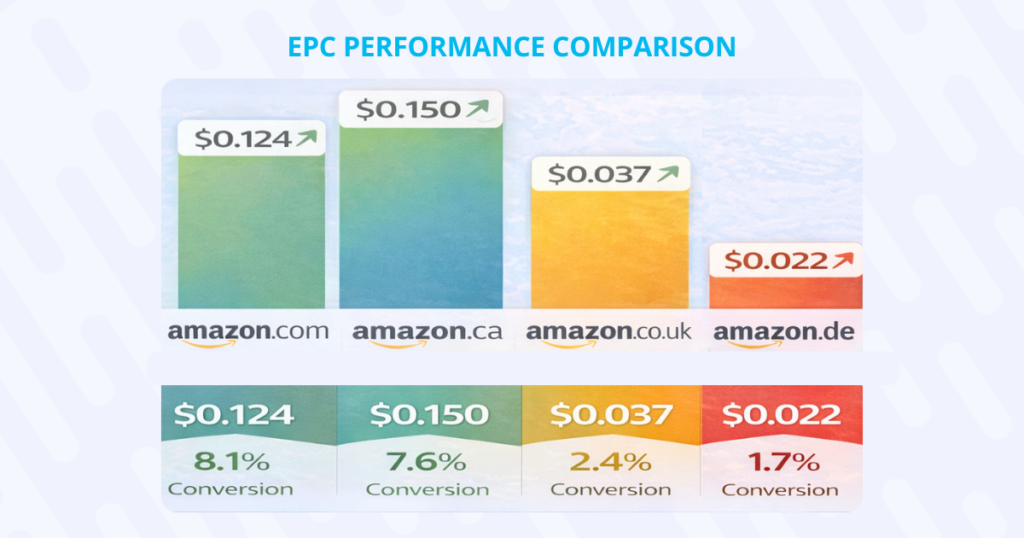
International traffic goes unmonetized without additional enrollment. Amazon runs separate affiliate programs for each country. A US-enrolled publisher whose link sends a UK visitor to Amazon.com earns nothing on that click unless they have also enrolled in the UK Associates program and configured geo-targeting. For publishers with meaningful international audiences, this gap can be substantial. Geniuslink’s own analysis found that for every 10% of international traffic a publisher receives, properly localizing those links adds roughly 5% to total revenue.
Four Strategies to Offset Low Amazon Commission Rates
The goal is not to abandon Amazon but to treat it as one element of a broader monetization strategy. The four approaches below work together and can be implemented incrementally.
Strategy 1: Choice Pages to Capture Non-Amazon Buyers
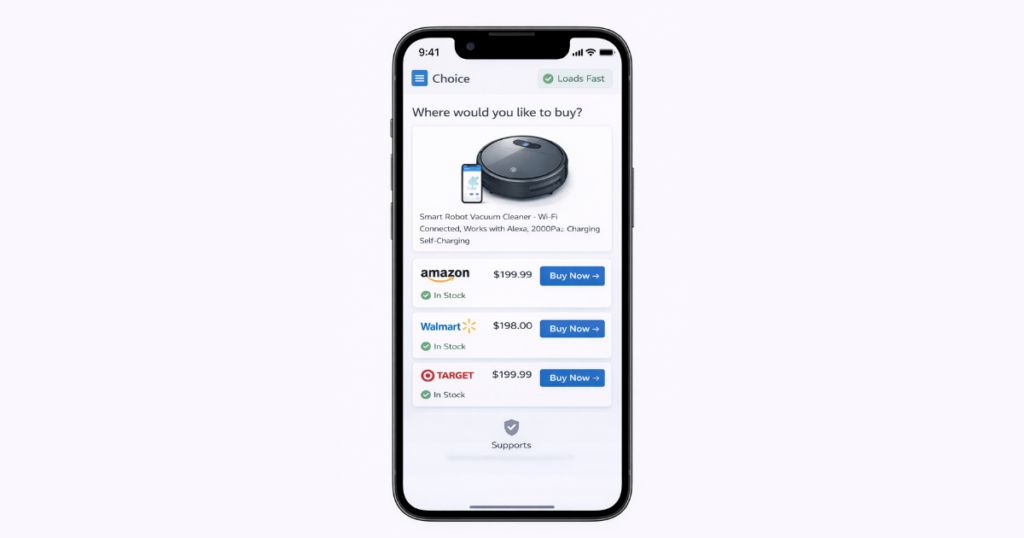
Not every visitor who clicks a product link prefers Amazon. Some shoppers use Walmart for free same-day pickup. Others accumulate points through a Best Buy rewards account. Target’s RedCard discount keeps a loyal segment in that ecosystem. When you send everyone to Amazon, you lose the sales from readers who would have purchased from another retailer.
Geniuslink’s Choice Pages address this by presenting the same product across multiple retailers on a single landing page. The visitor selects their preferred store, and you earn a commission on qualifying purchases, regardless of where they make the purchase. Geniuslink handles affiliate tagging for each retailer automatically once you have connected your program credentials.
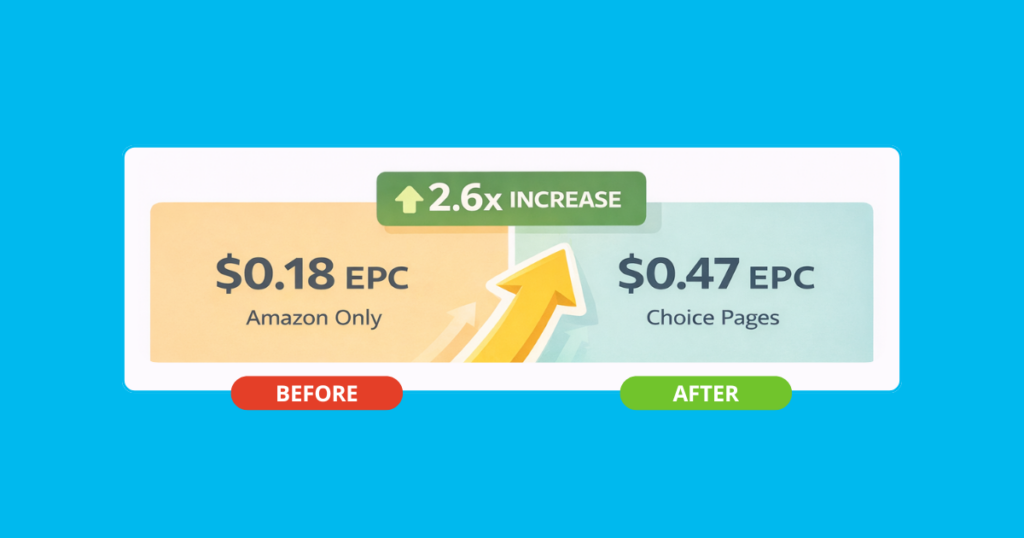
The performance data from Geniuslink’s own A/B testing is worth noting. Working with publishers over a two-month period, Geniuslink split traffic between Choice Pages and direct Amazon links, and found that Choice Pages more than doubled earnings per click on average. Part of the gain came from capturing non-Amazon buyers. Part came from an unexpected result: Amazon conversions also increased because readers who comparison-shop and return to Amazon have already confirmed the price. Armando Ferreira of the Mondo Bytes YouTube channel, one of the documented clients in that study, reported his affiliate income rising by more than 2.6x after switching to Choice Pages, with a corresponding jump to becoming a top affiliate publisher for B&H Photo Video alongside his Amazon income.
A Wiser survey of over 1,200 consumers found that around 78% use comparison shopping when buying online. A Choice Page serves that behavior directly on your own page rather than sending readers off to Google, where they may complete the purchase through someone else’s affiliate link.
To set one up, create a new Choice Page in your Geniuslink dashboard, add your primary product URL, and add retailer alternatives relevant to your niche. The page populates product details automatically. Share that link instead of a direct Amazon URL. For high-traffic product recommendations, this is one of the highest-leverage single changes you can make.
Strategy 2: Seller Networks for Higher Payout on Eligible Products
Seller networks are a separate commission layer that sits Amazon Associates. Individual Amazon sellers fund their own affiliate programs through platforms like Levanta and Archer Affiliates, offering commission rates that are substantially higher than Amazon’s standard rates in exchange for publishers driving external traffic to their listings.
Levanta reports an average commission rate of around 20% across its platform’s brands, compared with Amazon’s 1% to 4% in most everyday categories. These networks also extend the attribution window from Amazon’s 24-hour standard to 14 days, capturing purchases from shoppers who take longer to decide.
Geniuslink’s Seller Networks feature connects your account to platforms including Levanta, Archer, Wayward, and MaverickX. Once a network is active in your settings, every eligible Amazon click is automatically evaluated for seller network participation and routed to the higher-paying attribution when a qualifying seller program is available. When no seller network applies, the standard Amazon Associates rate takes over. Adding this layer requires no changes to your published links.
Note that per Amazon’s current operating agreement, you cannot stack Amazon Associates commissions and seller network commissions on the same click. Geniuslink applies whichever program offers the higher rate for each eligible product.
Strategy 3: A/B Split Routing to Test Retailer Performance
Retailer performance is not static. A retailer that converts well during ordinary traffic periods may underperform during a promotional event when another retailer has a better deal on the same product. A/B split routing lets you test these differences with real data rather than assumptions.
In Geniuslink, you can configure any link to split traffic between two destinations by a percentage you define. A common starting point is testing a Choice Page against a direct Amazon link on a high-traffic asset. Run the split until you have enough clicks to evaluate the earnings-per-click (EPC) difference between variants, then route all traffic to the winner. Because both variants experience the same traffic conditions simultaneously, seasonal effects and differences in traffic quality do not distort the comparison.
You can also use split routing to test retailer ordering within a Choice Page. If you have data suggesting a non-Amazon retailer converts better for a specific product category during a promotional period, put it first in the sequence and measure the effect. The test isolates the variable cleanly, and the result applies directly to future decisions about that product type.
A/B results inform more than just the immediate link. A pattern showing consistently stronger EPC from a specific retailer in a given product category is a signal to prioritize that retailer across all similar products, not just the one you tested. Document the finding using Geniuslink’s Notes field so the insight is available for future optimization rounds.
Strategy 4: Campaign Tagging for Year-Over-Year Comparisons
Affiliate performance is highly seasonal, and the retailers or products that convert best in August may not be the same ones that perform in November. Tagging campaigns consistently from the start creates the historical record you need to make informed decisions rather than re-learning the same lessons each year.
Use Geniuslink’s tagging system to label links by promotional period: “BlackFriday,” “PrimeDay,” “BackToSchool,” and similar labels create clean, filterable data sets. When the same period comes around next year, you can pull last year’s performance by tag to see which retailers and products drove the strongest EPC. That context replaces guesswork with a documented baseline.
Quarterly EPC reviews by retailers complement the campaign tagging. Pull reports showing earnings per click for each retailer on your Choice Pages, and update the retailer ordering on your highest-traffic pages to reflect current data. A retailer whose EPC has risen over the past quarter should move to the top of the page. One that has declined may warrant an A/B test against a new alternative. This ongoing adjustment keeps your link configuration aligned with actual performance rather than initial assumptions.
The combination of tagging and regular EPC reviews creates a compounding effect. Each season’s data improves the next season’s configuration. Over the course of a year, these incremental adjustments accumulate into a meaningfully more efficient affiliate operation than one running on static links.
Putting It Together: A Practical Starting Point
The strategies above do not need to be implemented all at once. A sequenced approach reduces the risk of disrupting what is already working while gradually adding new earning layers.
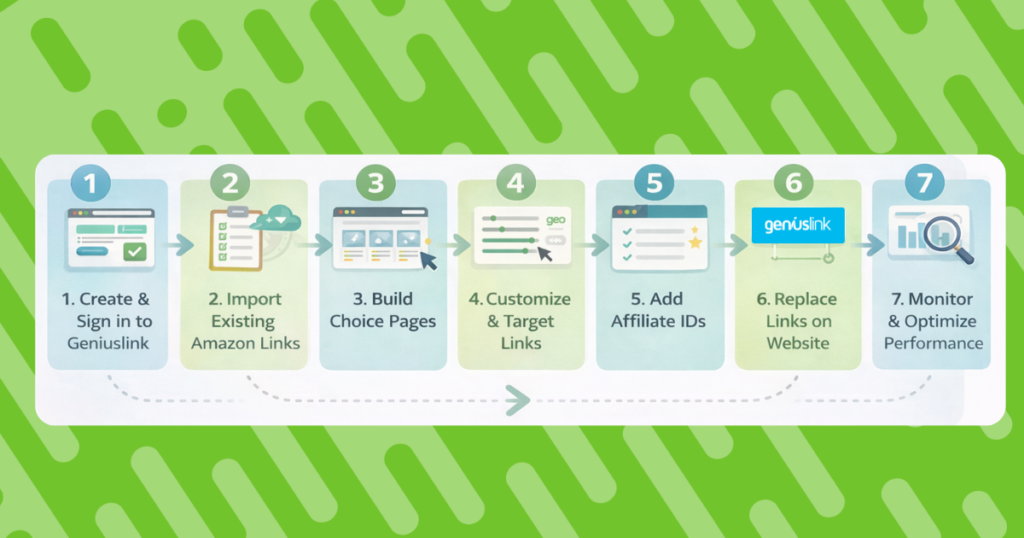
Start by identifying your three to five highest-traffic product recommendations and creating a Choice Page for each in Geniuslink. Add Amazon and at least two relevant retailer alternatives. Replace your existing direct links with the Choice Page URLs and let them run for 30 days before reviewing EPC data.
In parallel, connect at least one seller network in your Geniuslink account. This step requires registering with the network separately, but once connected, the higher-rate attribution applies automatically without any further changes to the link. Check the Seller Networks section in your Geniuslink dashboard for current options and eligibility requirements.
After your first 30-day data cycle, set up your first A/B test on the highest-traffic link in your library. Test your Choice Page configuration against a direct Amazon link and document your hypothesis in Geniuslink’s Notes field. Run the test for at least 1,000 clicks before evaluating results.
From there, add campaign tags to any links tied to an upcoming promotional period, and schedule a quarterly EPC review to refresh your retailer prioritization based on current data.
Amazon’s commission rates are not going to change in your favor. The strategies above do not require them to do so. They work by expanding the commission ceiling above Amazon’s rates through seller networks, capturing buyers who were already leaving for other retailers, and using real performance data to continuously shift traffic toward the highest-earning configuration.
Try Geniuslink free for 14 days to run your first Choice Page test and connect a seller network.