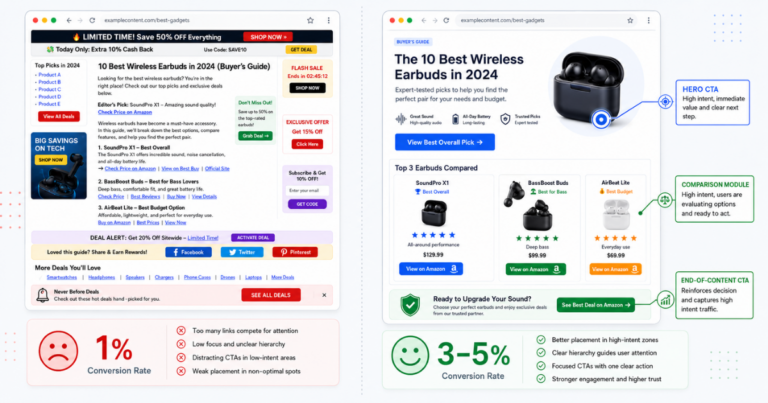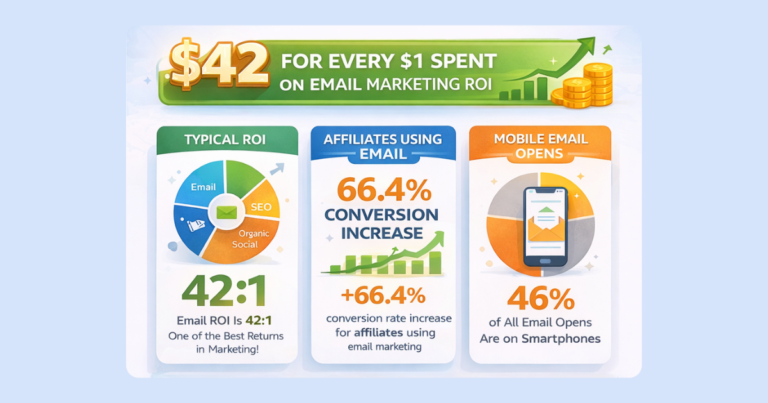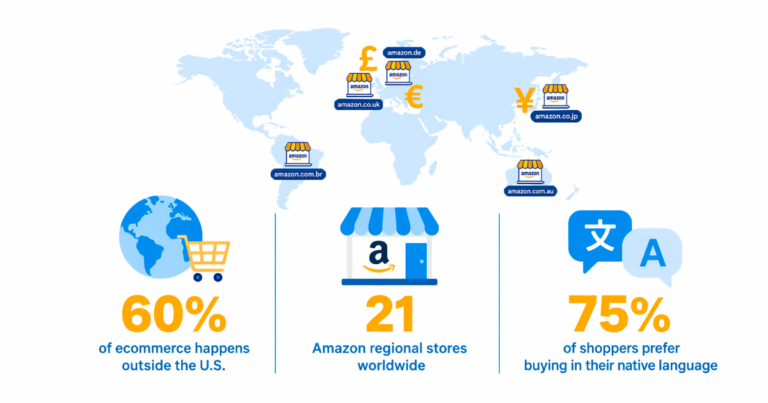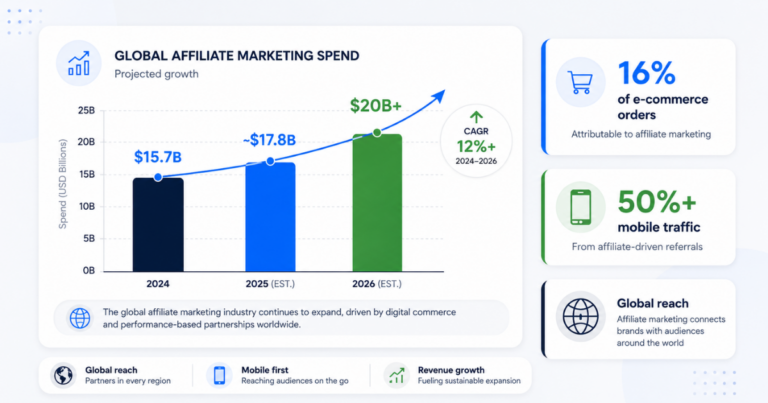

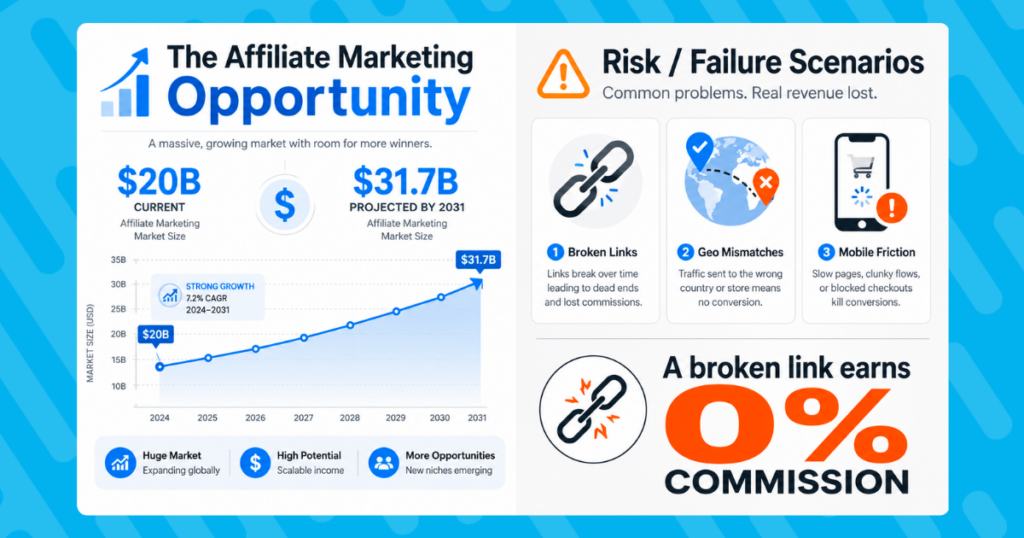
The global affiliate marketing industry reached a valuation of over $20 billion back in 2024 and is projected to reach $31.7 billion by 2031. In this performance-driven model, every click carries weight. Yet a broken link guarantees a 0% conversion rate. A geo-mismatched link sends an international reader to the wrong storefront. A mobile link that forces a browser login loses the sale the moment friction appears.
These are not edge cases. They are everyday occurrences that compound into meaningful revenue losses over time, especially as your content library grows.
This guide covers how a centralized affiliate link management tool acts as your command center: protecting revenue through real-time link health monitoring, intelligently routing each click, and giving your team the governance structure to stay consistent at scale.
What Is an Affiliate Link Management Tool?
An affiliate link management tool is a platform that lets you create, organize, monitor, and optimize all affiliate links from a single dashboard. Where a basic uniform resource locator (URL) shortener simply redirects traffic, a purpose-built affiliate platform provides automation, analytics, and control that shorteners were never designed to deliver.
The distinction lies in what the tool understands. A generic shortener knows nothing about affiliate programs, international storefronts, or product availability. A platform built for affiliate marketing handles geo-targeted routing, link health monitoring, team governance, and performance reporting as core functions, not add-ons.
Geniuslink describes its approach as an “intelligent link OS.” The idea is that your links should behave like a managed system: knowing when destinations break, where traffic originates, which products convert, and how to route each click for the best possible outcome. That intelligence layer is what separates a link that earns from a link that leaks.
Why Unmanaged Links Cost You Revenue
Link problems tend to be invisible until they become expensive. Here are the four most common ways unmanaged affiliate links reduce revenue.
- Broken links guarantee zero conversions. Products go out of stock. URLs change. Merchants update catalog structures. Seasonal items disappear. Each of these events can silently turn a previously earning link into a dead end. Without monitoring, that broken link continues to receive traffic and convert no one, often for weeks or months before you notice.
- Geographic mismatches lose international sales. A reader in Germany who clicks an Amazon.com link lands on the US store where they aren’t logged in., Additionally, they see prices in dollars, the extra cost and longer time for international shipping, and leaves. That visitor arrived with purchase intent. The link failed them. Without geo-targeting, your international traffic effectively earns nothing on US-only affiliate links.
- Mobile friction reduces conversions. Many mobile users have the Amazon app installed. When a link forces them into a browser instead of opening directly in the app, the added friction of logging in or navigating from scratch reduces the likelihood of completing the purchase. Research from Branch.io found that deep linking can increase conversion rates by up to 40% compared to standard linking methods.
Core Features of Geniuslink’s Link Management Tools
Geniuslink’s link management tools are built around four interconnected capabilities: real-time destination editing, link health monitoring, intelligent routing, and team governance.
Real-Time Destination Editing
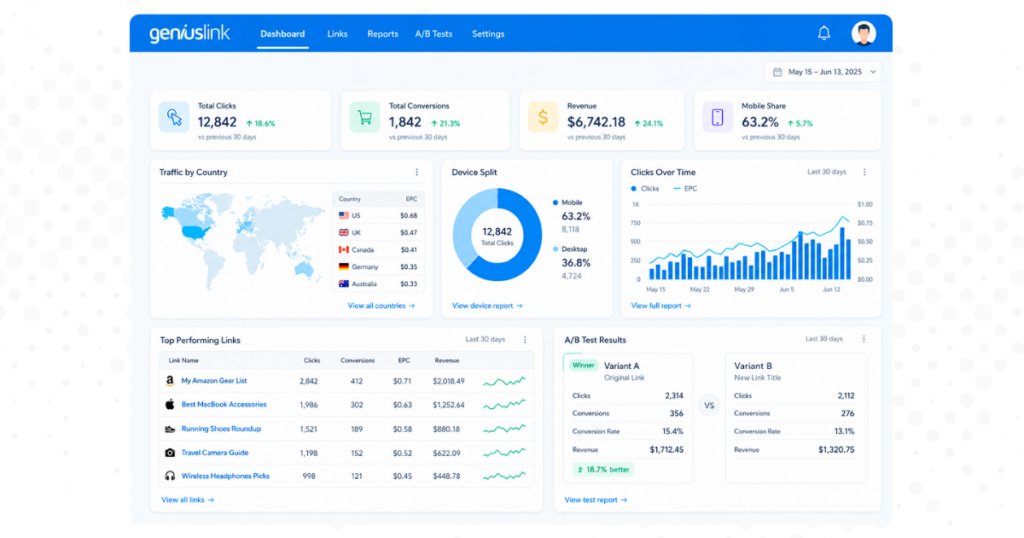
Every Geniuslink URL is a live, editable asset. After publishing content, you can update a link’s destination from the dashboard without touching the original post. Found a better product? Commission rate improved elsewhere? Has Merchant changed their URL structure? Update the destination once, and every future click routes to the new target instantly, across every page, post, and platform where that link appears.
Bulk editing extends this to your entire link library. When a product line changes or a merchant updates their catalog, you can redirect dozens of links simultaneously rather than editing each one individually.
Link Health Monitoring
Geniuslink continuously monitors Amazon product links for availability, flagging any that point to out-of-stock items, discontinued products, or changed ASINs. When an issue is detected, you receive a notification before readers encounter a dead end.
This gives you time to redirect traffic to an available alternative rather than learning about the problem from a reader complaint or a revenue drop at the end of the month. For high-traffic content, catching a single broken link early can protect a significant share of commissions from qualifying purchases.
As a baseline, run a full link health review monthly. During peak periods, such as Q4 or major sales events, increase the cadence to weekly. Keep a note on high-performing links documenting when destinations were changed and why, so you have a clear record if something needs to be revisited.
Smart Geo and Device Routing
Geniuslink’s automatic Amazon localization routes each visitor to their local Amazon storefront based on their location. A single Geniuslink URL sends a UK visitor to Amazon.co.uk, a German visitor to Amazon.de, and a US visitor to Amazon.com, each with your regional affiliate ID attached. One link, correctly attributed across every market you are enrolled in.
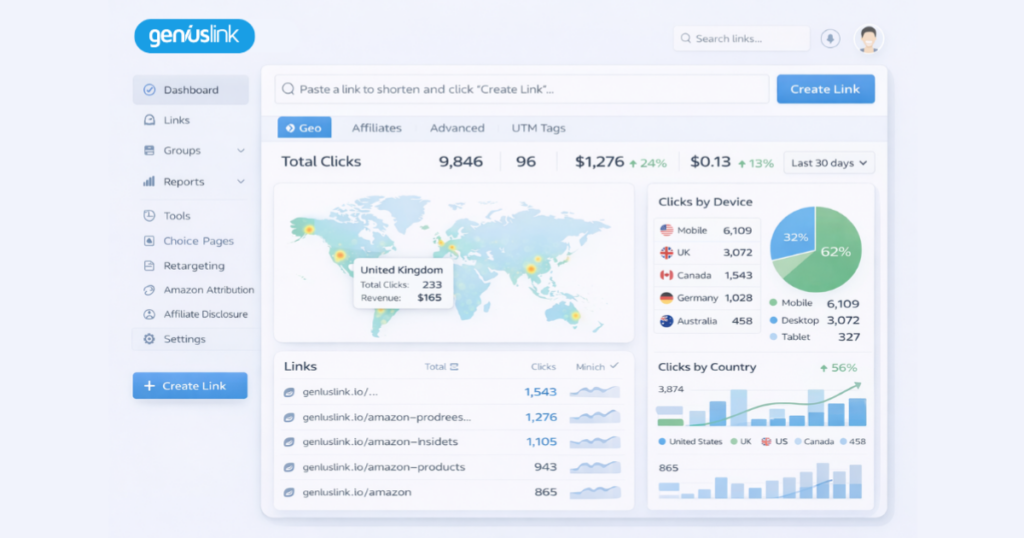
Setting up global commissions requires joining individual regional Amazon Associates programs. Start with English-speaking markets such as the UK, Canada, and Australia, where approval is typically straightforward. Geniuslink’s geographic reporting shows your traffic by country, helping you prioritize which programs to apply for next.
Mobile deep linking adds another layer. When a mobile visitor has the Amazon app installed, Geniuslink can open the product directly in the app rather than routing through a mobile browser. Google’s own data show that app-landing experiences drive, on average, a 2x higher conversion rate than mobile web, because users are already logged in and familiar with the checkout flow.
Advanced Analytics, A/B Testing, and Retargeting
Geniuslink reporting breaks down every link by country, referrer, device type, and browser. You can view performance at the account level, group level, or individual link level to understand what is actually driving results.
Campaign tagging lets you label links by content channel, email campaign, or social platform. Those tags carry through to your reports, so you can see which content and distribution channels deliver the most value rather than looking at aggregate click totals.
Automated A/B testing splits traffic between two destinations by a percentage you define. Test different products, landing pages, or merchants, and let the data determine the winner. The system handles traffic allocation automatically while you analyze results and scale what works.
Retargeting pixels let you follow up with visitors who clicked but did not purchase. Geniuslink supports retargeting configurations for Facebook, Google, and other platforms, including setups that exclude EU visitors for General Data Protection Regulation (GDPR) compliance.
Groups, Tags, and Notes: Governance at Scale
As your affiliate operation grows, maintaining consistency becomes harder without structure. Geniuslink’s Groups, Tags, and Notes features provide that structure without adding overhead.
Groups organize links by any dimension that makes sense for your operation: content site, YouTube channel, email list, client, or product category. Each Group can have its own default affiliate IDs, so links created within a Group automatically follow the correct attribution rules. New team members can create links without memorizing program-specific tracking IDs; the Group settings enforce the rules for them.
Groups also unify reporting. You can view aggregate performance for an entire Group, making it easy to evaluate a seasonal campaign, a specific client’s content, or a product category without having to filter through your full link library.
Tags work alongside Groups to add a second layer of organization. Create a Group for a campaign and tag individual links by traffic source or creative variant. Your reports then show both the macro view (how did the campaign perform overall?) and the micro view (which Instagram posts drove sales?).
Notes create a change log at the link level. When you update a destination, swap a product, or redirect traffic based on a test result, document it in Notes. When you or a team member revisits that link months later, the reasoning is already there. This institutional knowledge prevents repeated mistakes and makes optimization faster over time.
Together, these features give teams a working standard operating procedure (SOP) baked into the platform itself. Designate one person to own affiliate program updates so that when a program changes its terms or link format, configurations are updated centrally before any gaps appear in tracking.
Building a Monthly Optimization Ritual
Link management is not a one-time setup. The publishers who get the most from their affiliate programs treat optimization as a recurring discipline, not an occasional task.
A monthly review keeps your link ecosystem healthy and protects your revenue. Here is a repeatable process to follow.
- Review performance by Group. Which links drove the most clicks? Which converted at the highest rate? Which Groups are underperforming relative to their traffic volume? Note the patterns before moving to fixes.
- Run a full Link Health scan. Resolve any broken or out-of-stock flags immediately. Redirect affected links to available alternatives, and update any content that references specific pricing or availability.
- Check geographic and device data. If a country is sending meaningful traffic but you have not joined that regional program, that is a concrete next step. If mobile conversions lag desktop, investigate whether deep linking is configured correctly for those links.
- Reallocate underperformers. Links that receive consistent traffic but convert poorly may point to the wrong product, an outdated page, or a merchant whose pricing is no longer competitive. Use your Notes history to understand whether the issue is new or ongoing.
- Run or review an A/B test. If you have an active test, check whether enough data has accumulated to call a winner. If not, set one up for a link category with a hypothesis to test.
- Schedule your next review. Add a recurring calendar reminder so this does not slip during busy publishing periods. During Q4 and major sales events, increase the frequency to weekly.
Each of these steps might seem incremental in isolation. The compounding effect across a full content library is where the return accumulates.
Return on Investment: What to Expect
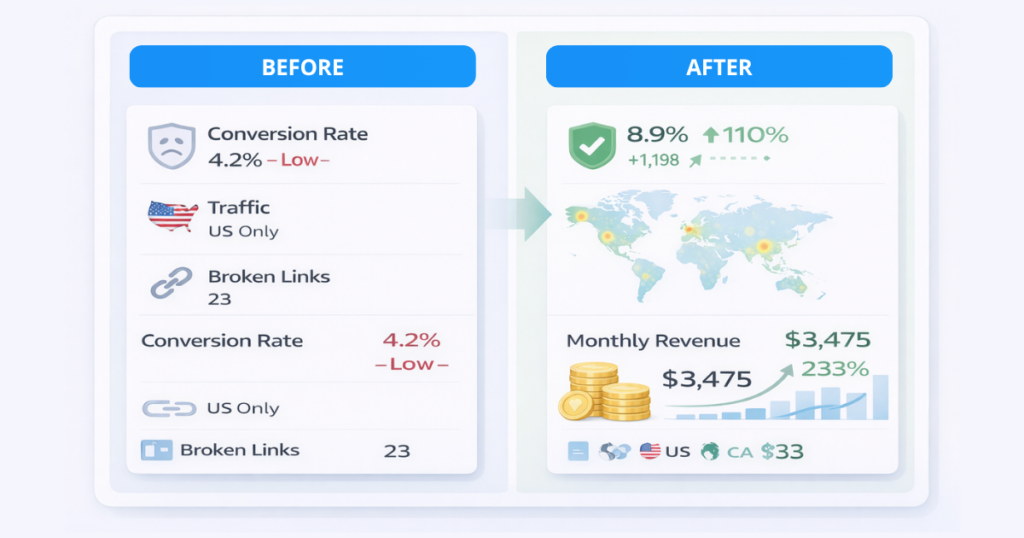
Return on investment (ROI) from link management comes from two sources: revenue protected and revenue recovered.
Revenue protected means commissions that would have been lost to broken links, geo mismatches, or mobile friction, but were preserved because the system caught and fixed the issue before it compounded. Revenue recovered means international commissions that were previously earning nothing, because the traffic was hitting the wrong storefront, which now converts properly through geo-targeting.
The magnitude of the improvement depends on your audience geography, content volume, and the extent to which your traffic was previously unmanaged. Publishers with a significant share of international readers tend to see the largest initial gains from geo-targeting alone. The more content you have, the more protection link health monitoring provides.
Geniuslink’s pricing is per-click, which means costs scale with your traffic rather than running at a flat rate regardless of performance. The 14-day free trial includes unlimited clicks, giving you a full view of your link performance before committing.
Getting Started
The fastest path to getting value from Geniuslink’s link management tools is to start with your highest-traffic content. Import those links first, configure your regional affiliate IDs, and run your first Link Health scan. You will likely find issues you did not know existed.
From there, set up your Groups and Tags structure to match how you organize your content and team. Install the Amazon Link Engine WordPress plugin to automatically handle ongoing conversions. Set a monthly review reminder to make the habit routine.
Every link in a well-managed ecosystem earns more than the same link left unattended. That is the case for centralized management, and it compounds with every piece of content you publish.
Try Geniuslink free for 14 days and run your first link health audit.
Author

Author