

In affiliate marketing, every click must count. The global affiliate marketing industry surpassed $20 billion in 2024, yet a single broken link quietly drains commissions and erodes reader trust. An annual or quarterly audit of your affiliate infrastructure is how you make sure no revenue is left behind.
This checklist walks through each critical step using Geniuslink’s core tools: fixing outdated links, activating Seller Networks, refreshing Choice Pages, re-running A/B tests on high-traffic assets, cleaning up your tag structure, confirming mobile deep linking is on, and locking in a review cadence so gains do not regress.
Step 1: Identify and Replace Outdated Links
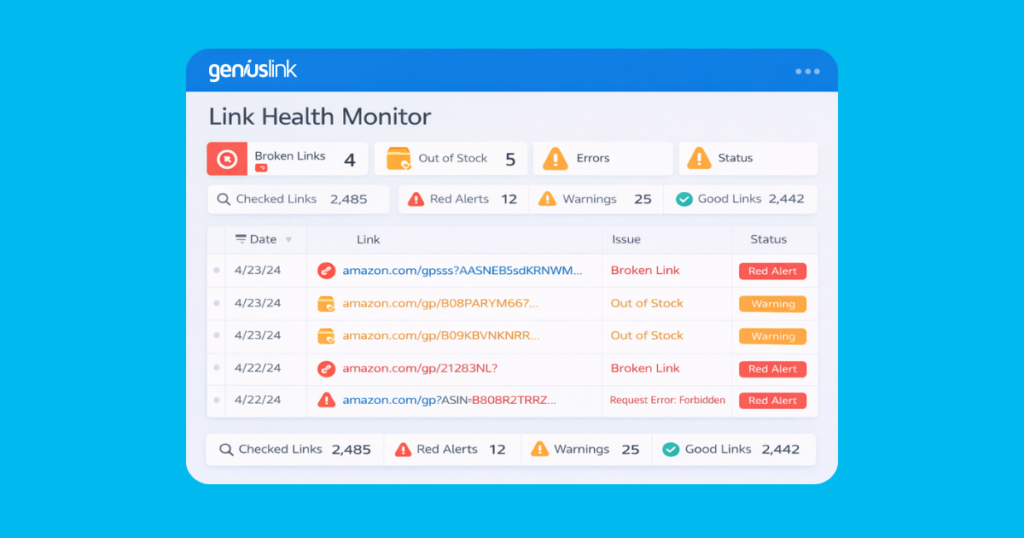
Broken or out-of-stock links are the most common and most costly form of affiliate revenue loss. A link pointing to a discontinued product, a changed Amazon Standard Identification Number (ASIN), or a retailer’s 404 page converts at exactly zero percent. Because these failures accumulate silently, starting every audit with a link health check is non-negotiable.
Run Geniuslink’s Link Health Report first. The report flags 404 errors, out-of-stock items, and other destination issues across your entire link library in one view. Dashboard alerts and email notifications surface critical problems as they occur between audits, so you are not waiting until the next scheduled review to find out a top-performing link has gone dark.
Sort the report by traffic volume or earnings per click (EPC) and prioritize fixes in that order. A broken link on a page that receives 10 visits a month costs far less than one on a page that receives 10,000. Tackle high-impact fixes first, then work through lower-traffic issues systematically.
When a product goes out of stock or a URL changes, update the link destination directly from your Geniuslink dashboard without touching the original post. The change propagates everywhere that the link appears, so a single edit protects your entire content library.
Build link health checks into your editorial workflow. Run a quick review whenever you update an old post or publish new content with affiliate links. Over time, this habit prevents issues from accumulating between formal audits.
Step 2: Enable Seller Networks Where Eligible
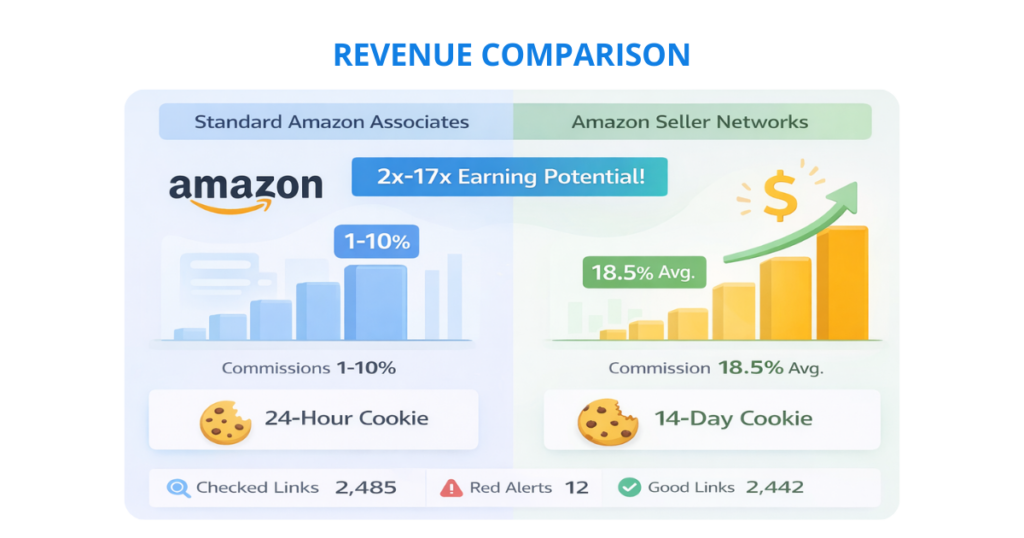
Amazon Associates commission rates typically range from 1% to 10%, depending on product category. Seller networks, which connect publishers directly with individual Amazon sellers who fund their own affiliate programs, often pay significantly more. Levanta reports average commission rates of around 20% across the brands on its platform, with some products reaching higher. Those rates come with a 14-day attribution window compared to Amazon’s standard 24-hour cookie, which captures conversions from shoppers who take more time to decide.
Geniuslink integrates with multiple seller networks, including Levanta, Archer, Wayward, and MaverickX, through its Seller Networks feature. Once you activate a network in your dashboard, Geniuslink automatically routes eligible Amazon clicks through the network when applicable, applying the higher commission without requiring any manual link updates. Your existing links participate automatically.
During your audit, check the Seller Networks section in your Geniuslink account to confirm which networks are active and whether any new options have become available since your last review. Some networks require separate registration, so verify your eligibility and complete any outstanding enrollment steps. This is one of the higher-leverage items on this checklist: it raises the earnings ceiling on traffic you are already generating, without changing anything about your content or your links.
Step 3: Refresh Choice Pages and Reorder Retailers by EPC
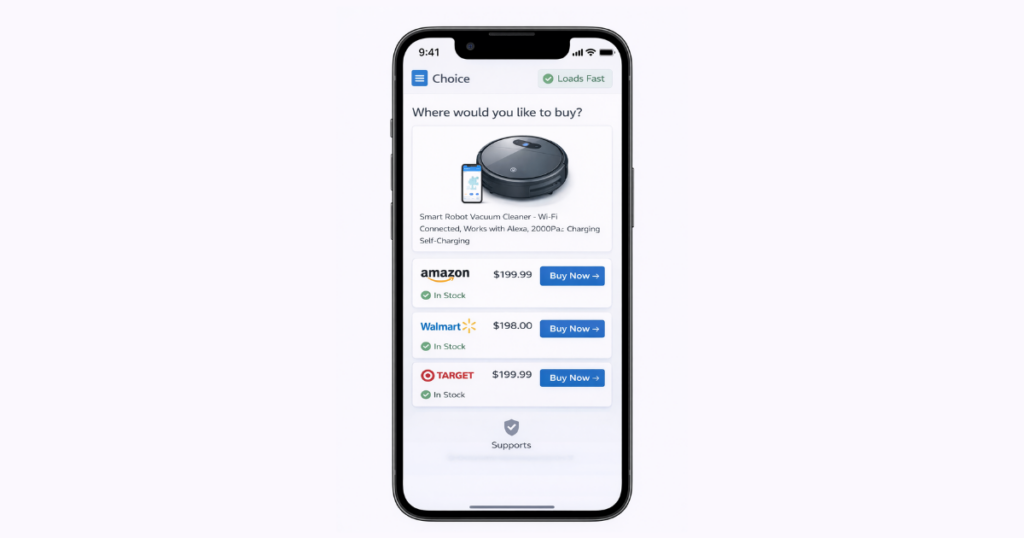
Choice Pages present a single product across multiple retailers, letting each visitor purchase from their preferred store while you earn a commission on qualifying purchases regardless of which retailer they choose. Geniuslink’s own tests have found that Choice Pages more than double the earnings per click on average compared to direct single-retailer links, because they capture shoppers who would have left to find their preferred option elsewhere.
During your audit, review your most-visited Choice Pages and verify that all product details, images, and retailer buttons are up to date and functional. Remove any retailer options that are no longer stocking the product. Add retailers that have become relevant since your last review.
Then open Geniuslink’s analytics and check the EPC for each retailer listed on your top Choice Pages. EPC normalizes click volume and revenue into a single comparable metric, making it straightforward to rank retailers by actual performance rather than by assumption. Reorder your retailer buttons so the highest-EPC option appears first. If B&H or Walmart consistently outperforms Amazon in a specific product category for your audience, that retailer should appear at the top of the page. This simple reordering can improve performance without changing your content or traffic.
If you have high-performing products that are still sending traffic to a single retailer’s link rather than a Choice Page, this audit is a good opportunity to create one. Choice Pages also provide stock-out protection: if one retailer runs low on inventory, visitors have other options immediately available rather than hitting a dead end.
Step 4: Re-Run A/B Tests on High-Traffic Assets
Your highest-traffic pages and links are your most valuable testing grounds. Even a modest EPC improvement on a page that receives thousands of clicks monthly compounds into significant additional revenue over time. Regular A/B testing keeps your top assets optimized rather than static.
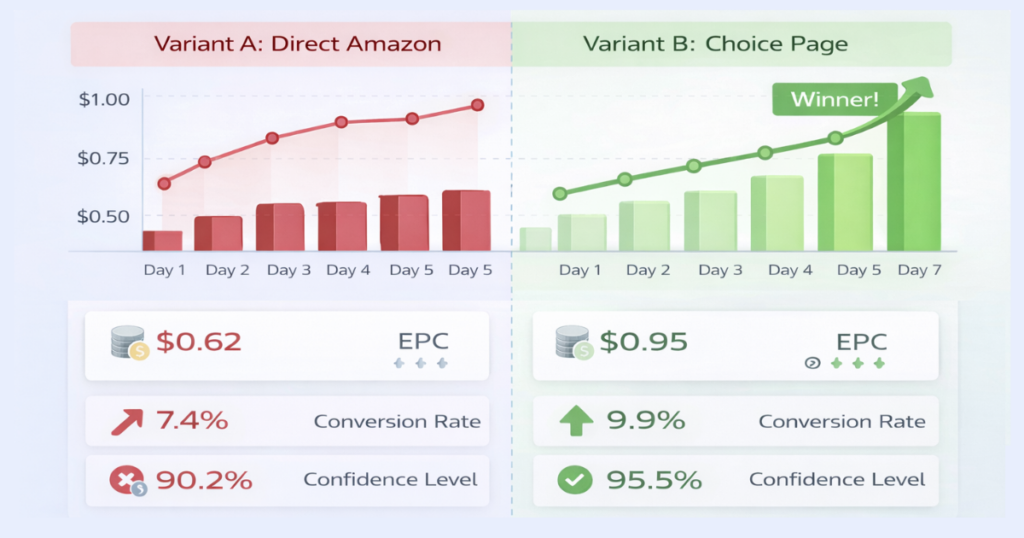
Identify your highest-traffic links and pages using your analytics, then design tests where only one variable changes between versions. Compare a Choice Page against a direct Amazon link. Test two different products within the same category. Try different retailer orderings on a Choice Page. Keeping tests to a single variable gives you interpretable results rather than a tangle of possible explanations.
Use Geniuslink’s Notes field to document each test before it runs: what you are testing, the hypothesis, the expected outcome, and the time frame. Record results when the test concludes. Over multiple testing cycles, this log becomes a playbook of what works for your specific audience, saving time on future tests and preventing you from retesting things that have already been settled.
Allow each test to run until you have collected enough clicks to draw a meaningful conclusion before calling a winner. Implement the winning variant across relevant content, and update the Notes record to reflect the final outcome and the next steps you plan to test.
Step 5: Clean Up Tags and Archive Old Campaigns
A cluttered link library and tag structure slow down analysis and obscure the insights you need to make good optimization decisions. Regular maintenance keeps your dashboard usable and your reports meaningful.
Review your tag taxonomy and standardize naming conventions. Merge duplicate tags that cover the same dimension. Remove tags that no longer correspond to active links or campaigns. Consistent tagging across your library makes it easy to filter by campaign, product type, content channel, or any other dimension that matters for your reporting.
Delete test links that have served their purpose. Remove links for products that have been discontinued or promotions that have ended. For completed seasonal campaigns, archive the associated links rather than deleting them entirely, so you retain the historical performance data for year-over-year comparison without cluttering your active view.
Set a quarterly reminder to run this housekeeping step. It takes less time than any other item on this checklist and makes every other analysis task faster and cleaner.
Step 6: Confirm Mobile Deep Linking Is Active
Many mobile visitors have the Amazon app installed on their device. When a link opens in a mobile browser instead, the added friction of logging in or navigating from a non-app experience reduces the likelihood of completing a purchase. Geniuslink’s mobile deep linking attempts to route app users directly into the Amazon app rather than a browser, removing that friction at the moment of highest purchase intent.
According to Geniuslink’s own test data, mobile deep linking has produced up to 4.8x more earnings and 7.9x more conversions from mobile traffic compared to standard links. Every Amazon link created through Geniuslink includes this capability automatically, but it is worth verifying the feature is still active in your account settings, especially if you have made account changes or migrated links from another platform.
Check your mobile versus desktop traffic split in your analytics. If mobile accounts for a significant share of your clicks, and it does for most publishers, confirming that deep linking is active is one of the highest-leverage confirmations on this checklist.
Step 7: Document Insights and Schedule Your Next Review
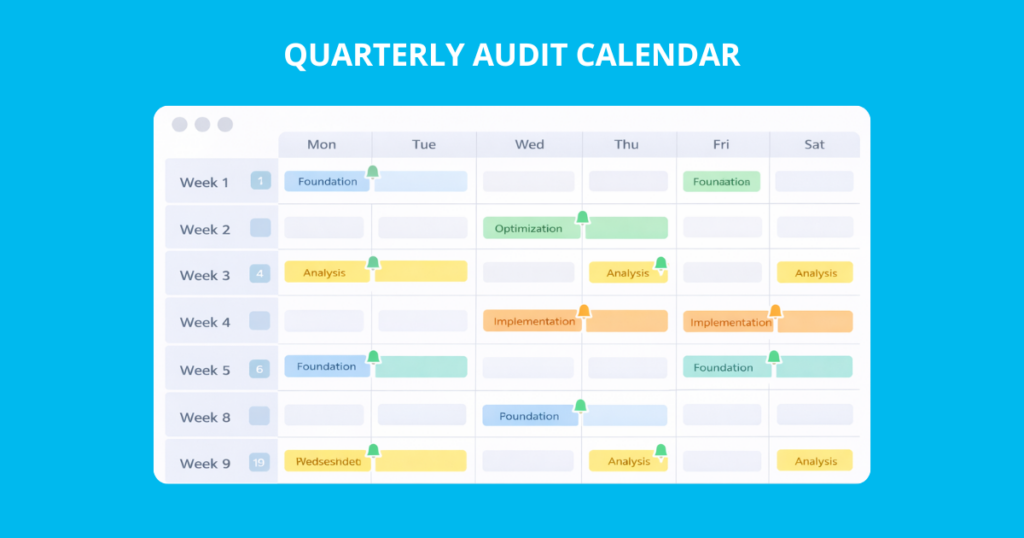
An audit’s value does not end when you close the dashboard. The patterns and decisions you document during each review inform a better strategy in the next one. Capturing those learnings systematically is what turns a one-time cleanup into compounding improvement.
Use Geniuslink’s Notes feature to record test results, destination changes, and the reasoning behind each decision on the relevant link. When a retailer’s EPC dropped, and you updated the Choice Page order, note it. When an A/B test produces a surprising result, record what you think explains it. When you retire a link that was receiving traffic but not converting, document why. These records make it possible to review your decisions later with full context, and they prevent the same mistakes from being made twice.
Before closing out the audit, schedule the next one. For most publishers, a quarterly review cadence is manageable and sufficient: monthly Link Health checks for quick fixes, a full Choice Page and tag review each quarter, and a comprehensive audit covering all seven steps twice a year. Mark the dates on your calendar before you close this document, because the gains from a single audit tend to erode without a follow-up cadence to maintain them.
Use the data you have collected during this audit to set specific priorities for the next one. Which product categories showed the highest EPC and deserve more content investment? Which geographic regions are sending traffic without a corresponding regional affiliate program enrolled? Which high-traffic links have not been A/B tested recently? Specific questions carry more action than general intentions.
Feature Summary: Geniuslink Tools Used in This Audit
Each step in this checklist maps to a specific Geniuslink capability. Understanding how these tools work together helps you get the most from each audit cycle.
Link Management and Link Health form the foundation. The Link Management dashboard gives you central control over every link in your library, with real-time editing, bulk updates, and the Link Health Report for automated monitoring of broken destinations and out-of-stock products.
Seller Networks raise the commission ceiling on the traffic you are already generating. Once activated, Geniuslink automatically routes eligible Amazon clicks through connected networks, applying the highest available commission for each product.
Choice Pages capture revenue from your audience that prefers retailers other than Amazon. A Choice Page that presents the same product across multiple retailers earns a commission regardless of where the visitor buys, and Geniuslink’s tests show that they more than double the average EPC compared to single-retailer links.
Mobile Deep Linking removes browser friction for app users at the moment of highest purchase intent. Active by default on every Amazon link created through Geniuslink, it is one of the highest-impact features to verify during each audit.
These tools compound when used together. A Choice Page with Seller Network integration and mobile deep linking active represents the most complete configuration for a given product link, maximizing commission potential from every angle on every click.
Getting Started
Start with the Link Health Report. Fix your highest-traffic broken links first, then work through the rest of this checklist in order. Enable Seller Networks if you have not already, refresh your top Choice Pages, and confirm that mobile deep linking is active. The quick wins at the top of this list can show measurable improvement in earnings per click within days. The habit of regular review, documented in Notes and scheduled on your calendar, is what sustains that improvement over time.
Try Geniuslink free for 14 days and run your first link health audit today.